JustPDF
JustPDF is a private browser based toolkit to merge compress and convert PDFs instantly with no file uploads.
Visit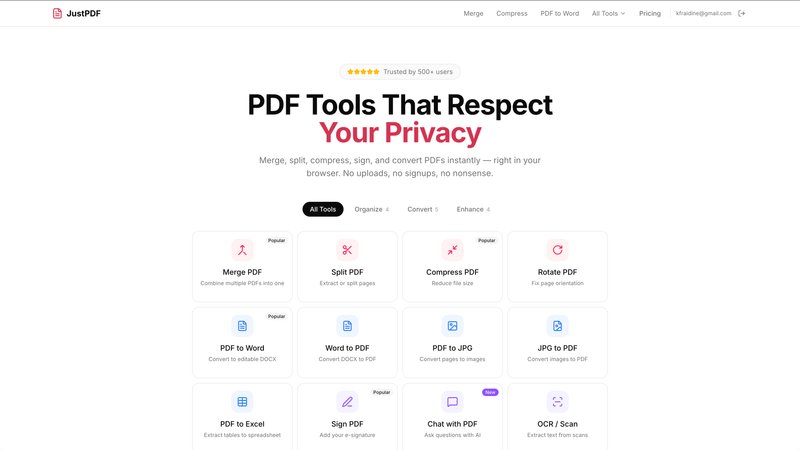
JustPDF is a revolutionary suite of 17 professional-grade PDF tools engineered for a new standard of privacy, speed, and automation. It processes files entirely within the user's web browser using JavaScript and WebAssembly, eliminating the need to upload documents to remote servers. This 100% browser-based architecture ensures that sensitive files—from legal contracts and academic papers to financial reports—never leave the user's device, a fact verifiable via the browser's Developer Tools. The platform is designed for professionals, students, and businesses who prioritize data security and workflow efficiency, offering a seamless, drag-and-drop interface that works offline. Its core value proposition is delivering powerful PDF manipulation without compromising confidentiality, setting it apart from traditional online services like Smallpdf and iLovePDF. With a generous free tier and FERPA-compliant operations, JustPDF automates document handling from merging and compression to AI-powered chat and OCR, making it the definitive choice for secure, automated PDF management.
Features of JustPDF
100% Browser-Based Processing
Every PDF operation, from merging to advanced OCR, is executed locally on your device using client-side JavaScript and WebAssembly. This means your files are processed in complete isolation, with zero data transmission to external servers. This feature guarantees ultimate privacy and security, allowing you to handle confidential documents with absolute confidence, directly from your browser without any internet dependency after the initial page load.
Comprehensive 17-Tool Suite
JustPDF provides an all-in-one automation hub for every PDF task. The suite includes essential organization tools like Merge, Split, and Rotate, powerful conversion modules for Word, Excel, JPG, and specialized formats like WebP and HEIC, and advanced features including Compress, Flatten, Unlock, Sign, and PDF to Grayscale. This eliminates the need to juggle multiple websites or software, streamlining your entire document workflow into a single, efficient platform.
AI-Powered Document Interaction
The innovative "Chat with PDF" tool leverages artificial intelligence to transform static documents into interactive sources of information. Users can ask questions, summarize content, or extract specific data from their PDFs directly within the browser. This feature automates information retrieval, saving hours of manual reading and searching, and is a prime example of JustPDF's commitment to integrating cutting-edge automation into the document management process.
Offline Functionality & No-Account Access
Designed for maximum accessibility and streamlined workflow, JustPDF requires no user account for its free tier and operates offline once the web application is loaded. This removes friction from the process, enabling instant tool access without sign-up forms or password management. Users get 3 free operations per day immediately, promoting rapid task completion without the typical barriers of online services.
Use Cases of JustPDF
Secure Handling of Confidential Business Documents
Legal and financial professionals can use JustPDF to merge contracts, compress large reports, or add e-signatures without ever exposing sensitive client data to third-party servers. The local processing ensures compliance with internal data governance policies and provides a verifiable chain of security, making it ideal for preparing and finalizing confidential agreements and audits in a fully automated, secure environment.
Efficient Academic and Research Workflow
Students, researchers, and educators benefit from JustPDF's FERPA-compliant tools for organizing research papers, converting lecture slides to PDF, compressing submission files, and using OCR on scanned library resources. The AI chat feature can quickly summarize academic papers or find key statistics, automating the research process while keeping unpublished work and student information completely private on the user's device.
Streamlined Personal Document Management
Individuals managing personal records, such as tax forms, application materials, or home project plans, can use JustPDF to create unified PDFs from multiple scans, convert images to PDF, or reduce file sizes for email attachments. The no-account-required, offline-capable system allows for quick, on-the-fly document adjustments from any device, automating personal admin tasks with a strong emphasis on privacy.
Automated Content Preparation for Publishing
Content creators, marketers, and administrative staff can automate the preparation of digital content. This includes converting design assets (JPG, WebP, HEIC) into PDF portfolios, flattening PDFs for print-ready distribution, compressing files for web upload, and using grayscale conversion. JustPDF turns multi-step formatting tasks into a rapid, browser-based automated workflow, enhancing productivity.
Pricing of JustPDF
JustPDF operates on a freemium model designed for flexible automation. The free tier requires no account and provides 3 tool operations per day, perfect for occasional users. For professionals and businesses requiring unlimited automated workflows, the Pro plan starts at $4 per month. This subscription grants unlimited access to all 17 tools, including advanced features like AI Chat with PDF and OCR, ensuring seamless, high-volume document processing without interruptions.
Frequently Asked Questions
How does JustPDF ensure my files are private?
JustPDF uses a client-side architecture, meaning all file processing is done directly within your web browser using JavaScript and WebAssembly. Your documents are never uploaded to our or any other servers. You can verify this yourself by opening your browser's Developer Tools (Network tab) while using a tool; you will see no file upload traffic, confirming complete local processing.
Do I need to create an account to use the free tools?
No, an account is not required to access and use JustPDF's free tier. You can immediately start using any of the 17 tools with an allowance of 3 operations per day directly from your browser without any registration. This design prioritizes a frictionless and automated workflow for quick tasks.
What is the "Chat with PDF" feature and how does it work?
Chat with PDF is an AI-powered tool that allows you to interact with your document conversationally. After processing your PDF locally in the browser, you can ask questions in natural language, such as "What are the key findings?" or "Summarize page 3." The AI analyzes the text content and provides instant answers, automating data extraction and comprehension.
What are the limitations of the free tier versus the Pro plan?
The free tier allows for 3 total tool operations per day across all tools, with no account needed. The Pro plan, starting at $4 per month, provides unlimited access to all 17 tools, priority processing, and is ideal for users with regular, high-volume PDF automation needs who require uninterrupted workflow efficiency.
You may also like:
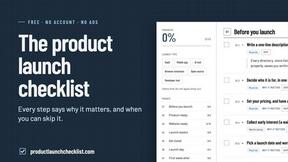
Product Launch Checklist
A free launch checklist for SaaS, apps, AI tools and more. Every step says why it matters and when you can skip it.
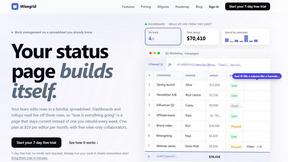
Wisegrid
Wisegrid is a spreadsheet-native work management platform for project-driven teams

Luffy
Luffy is an AI employee in Slack that remembers your workspace and executes tasks across every app
Boost Your Growth
Submit your SaaS to 140+ directories and SaaS submission sites. We handle every listing so you can focus on building your product.