Opal
Opal streamlines your project management by consolidating all notes, ideas, and client information into one accessible workspace.
Visit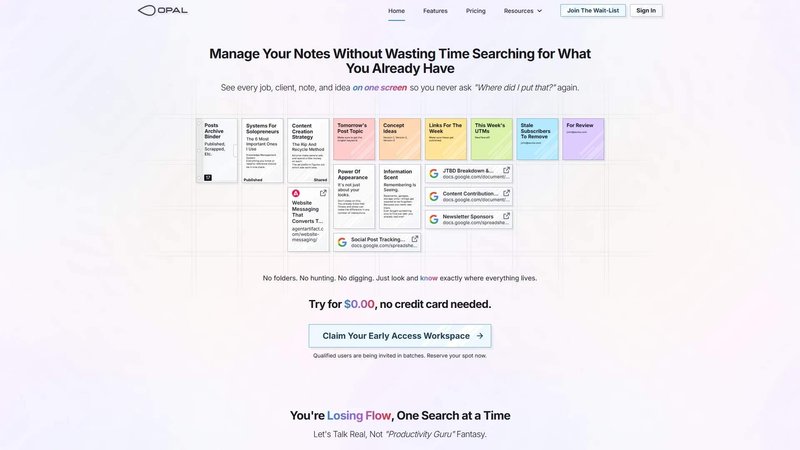
Opal is an innovative digital workspace designed to help individuals and teams manage their notes, documents, and important files without the chaos of traditional productivity tools. By providing a visual and infinite canvas, Opal allows users to organize their content spatially, mimicking a physical desk where everything is visible and easily accessible. This unique approach eliminates the need to dig through folders or complicated categorizations, ensuring that what matters most stays top of mind. Ideal for freelancers, small business owners, project managers, and anyone who juggles multiple tasks, Opal streamlines workflows and enhances productivity. Its intuitive interface and comprehensive features empower users to connect ideas, collaborate in real-time, and publish content effortlessly, making it an invaluable tool for managing information in a fast-paced world.
Features of Opal
Visual Infinite Canvas
Opal provides a unique visual workspace that allows users to organize their content spatially. This infinite canvas enables you to lay out all your active jobs, clients, tasks, notes, and ideas in a way that your brain can easily map and retrieve, ensuring that nothing gets lost in the digital clutter.
Markdown-Based Block Editor
With a rich markdown-based block editor, Opal allows users to create content with various media types seamlessly. Whether you're writing scripts, manuals, or connecting ideas with internal links, this feature empowers you to express your thoughts clearly and effectively.
Real-Time Collaboration
Opal facilitates real-time collaboration, enabling teams to work together seamlessly. Share your workspace, edit documents simultaneously, and provide instant feedback, making it easier to keep everyone on the same page and enhance productivity.
Integration with Opal Recall
Connect your AI agent with Opal through the Opal Recall skill via the API. This feature enhances your productivity by allowing you to retrieve information quickly and efficiently, ensuring that your AI tools work in harmony with your workspace.
Use Cases of Opal
Project Management
Opal is perfect for project managers who need to keep track of multiple clients and tasks simultaneously. Its visual layout allows you to see all aspects of your projects in one place, streamlining workflows and improving organization.
Content Creation
Writers and content creators can benefit from Opal's markdown editor, which supports rich media and internal linking. This feature enables you to brainstorm, draft, and finalize content without losing track of ideas or important notes.
Knowledge Management
For professionals who need to manage a wealth of information, Opal serves as a centralized knowledge base. Store and organize important documents, SOPs, and reference materials, making information retrieval efficient and straightforward.
Real-Time Team Collaboration
Teams can utilize Opal for collaborative projects, where real-time editing and sharing enhance communication and productivity. This use case is especially beneficial for remote teams that require a shared space for brainstorming and project development.
Frequently Asked Questions
How does Opal improve productivity?
Opal enhances productivity by providing a visual workspace where everything is accessible at a glance. This eliminates the need to search through folders and categories, allowing users to focus more on their tasks.
Can I collaborate with others in Opal?
Yes, Opal allows real-time collaboration, enabling multiple users to work on the same document simultaneously. This feature fosters teamwork and improves communication among team members.
Is my data secure in Opal?
Opal prioritizes user data security and privacy. The platform employs security measures to ensure that your information is protected while you work and collaborate with others.
What types of content can I create in Opal?
Opal supports a variety of content types, including notes, scripts, manuals, and documents. The markdown-based editor allows for rich media integration, making it versatile for different writing needs.
You may also like:
Product Launch Checklist
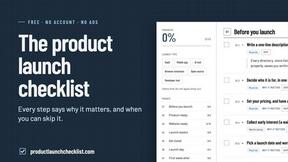
A free launch checklist for SaaS, apps, AI tools and more. Every step says why it matters and when you can skip it.

Wisegrid
Wisegrid is a spreadsheet-native work management platform for project-driven teams

Luffy
Luffy is an AI employee in Slack that remembers your workspace and executes tasks across every app
Boost Your Growth
Submit your SaaS to 140+ directories and SaaS submission sites. We handle every listing so you can focus on building your product.