At 12:01 AM Pacific, your post flips from scheduled to live. A few minutes later, strangers are reading your tagline, opening your signup page on their phones, and typing questions into the comments that you didn’t see coming. How that day goes was mostly decided weeks earlier.
That’s the honest shape of how to launch successfully on Product Hunt. The leaderboard is the part everyone watches. The parts that decide the outcome are quieter: a product a stranger can try within minutes, a post that explains it in one line, a day where you answer every comment yourself, and a follow-up plan that turns a 24-hour spike into users and a product page that keeps working.
You also have to play by the current rules, and a lot of launch advice in circulation predates them. Product Hunt’s featuring guidelines were updated in March 2026, and its sharing rules prohibit vote-gathering tactics that older playbooks still recommend. The field limits and rules below come from Product Hunt’s own help center and launch guide, checked in October 2026. Where those two sources disagree, we point it out.
What it means to launch successfully on Product Hunt
Before you write a tagline, decide what the launch is for. “Get to #1” doesn’t count. You don’t control it, and hitting it tells you nothing about whether the launch worked.
Pick one goal and give it a number
Choose one of these, write it down, and attach a number you’d be happy with:
- Activated users. People who sign up and complete the first meaningful action: create a project, connect an integration, send an invoice. For most self-serve SaaS products, this is the goal that actually pays off later.
- Feedback from a target segment. Specific comments from people who match your buyer profile. Ten pointed questions from the right people are worth more than a hundred “congrats on the launch” replies.
- First paying customers. Realistic when you have a clear self-serve plan and a launch offer. Without both, pick a different goal.
- A credibility asset. A Product Hunt page with reviews and a badge you can show prospects later. It’s one more public profile for your product, but a single launch page is one step in a stage-by-stage backlink plan, not a replacement for one.
Every later decision follows from this choice. A feedback goal means you invite critical comments and prepare questions worth answering. An activation goal means the first-use path matters more than the gallery, so that’s where your hours go.
Rank is a side effect, not the scoreboard
Rank still matters for exposure. According to Product Hunt’s launch-day guide, the weekday Daily Digest email features the previous day’s top 10 most upvoted products, although an editorial section can cover launches outside the top 10. And the leaderboard isn’t a raw vote count. Product Hunt’s sharing guidance says its ranking system considers more than just upvotes, and that authentic engagement plays a key role.
So chase the thing that drives both: real people trying the product and talking about it. A top-five finish with no activated users is a worse outcome than a quieter day that brings in thirty real accounts. One gives you a screenshot. The other gives you customers to talk to.
Check fit before you check anything else
Anyone with a personal account can post. Being featured is an editorial decision, and the featuring guidelines, updated March 10, 2026, spell out what editors look for: products that are useful, novel, high craft, or creative. You don’t need all four. They only feature products that are ready for use or have a clear path to launch.
The same page lists what doesn’t get featured: waitlisted products without immediate access, directory or list-style submissions, templates and boilerplates, service offerings, deal sites, courses, and Kickstarter projects that aren’t fully working. If your SaaS is still a waitlist, the strongest move is usually to wait until people can actually get in.
And if your product isn’t featured? It stings less than you’d expect. The guidelines say that not being featured doesn’t reflect negatively on a product’s quality or potential, so don’t read it as a verdict on your idea. The launch still gives you direct feedback from the people who find it, a product page you can maintain, and a good reason to write to your own users.
Rule of thumb: If a stranger can’t sign up and get value in one sitting, you’re not ready to launch successfully on Product Hunt, however good the assets look. Fix access first. Everything else depends on it.
Six weeks to launch day: the prep timeline
How long should you prepare for a Product Hunt launch? For a SaaS, plan on four to six weeks. You can go faster, but six weeks leaves room to fix the product, build a real presence on the site, and schedule without a scramble. Product Hunt lets you schedule up to 30 days ahead, so the first half of this timeline happens before you pick a date. Lock the date once the product and assets are nearly done, not while they’re still a wish list.
| When | Focus | Done when |
|---|---|---|
| 6 weeks out | Product readiness | A signed-out stranger reaches value on mobile |
| 5 to 4 weeks out | Accounts and presence | All makers have personal accounts, onboarded |
| 3 weeks out | Assets and copy | Thumbnail, gallery, demo, first comment drafted |
| 3 to 2 weeks out | Scheduling | Date chosen and post scheduled |
| Final week | Dry run and support plan | Run sheet, FAQ doc, launch offer tested |
| Launch day | Participation | Every comment answered |
| 2 weeks after | Follow-up | Product page claimed, feedback summarized |
Six weeks out: make the product launchable
This is the part most teams rush, and it’s the part that matters. Walk the path an unfamiliar visitor will take. Open your site in a private browser window and on a phone, sign up, confirm the email, and complete the first useful task without help. Anywhere you hesitate, a stranger will simply leave.
Then check the boring details, the ones that bite on launch day. Pricing is visible. The confirmation email doesn’t land in spam. Demo data contains no real customer information. Someone is actually watching the support inbox.
If your product needs setup before it shows value (an integration, a data import, team invites), build a shortcut. A sample workspace, a demo account, or an interactive walkthrough lets launch visitors see the product working before they commit an afternoon to it.
Four to five weeks out: accounts and presence
Product Hunt requires a personal account to post, and company accounts can’t hunt or post products. New accounts also have to finish onboarding before they can post, which is not something you want to discover at 11:50 PM the night before. Product Hunt’s preparation guide also recommends that co-makers create their accounts well before launch day so they can join the conversation and get credit.
Spend these weeks taking part in the community as a person, not a brand. Read recent launches in your category, leave useful comments, and notice which first comments and galleries made you understand a product in seconds. You’ll write sharper copy for having done it.
Final week: the dry run
Write a one-page run sheet (there’s one below), a short FAQ doc with answers to the questions you expect, and a list of known limitations you’ll be upfront about. Test any launch offer or promo code end to end, on the plan people will actually choose. If you’re not solo, decide who covers which hours. Then clear your calendar for the day. All of it.
Assets that explain the product without you in the room
Most visitors decide whether to click through before they read a single comment, so the post has to explain itself. Product Hunt’s posting instructions and preparation guide define the fields. Here’s what each one needs, as of October 2026.
Name and tagline
The name field is the product name only: no description, and no emojis unless they’re part of the name. The tagline has a 60-character maximum in the launch guide, and the official advice is refreshingly plain: don’t make it hard for people to understand what the product does.
“Invoices for freelance designers that get paid faster” tells a stranger who it’s for and what changes. “The future of getting paid” tells them you had a branding workshop. If your tagline would fit equally well on a bank, a payroll app, and a crypto wallet, rewrite it.
Description
The two official sources disagree on length. The help article says the description holds up to 260 characters, while the launch guide mentions 500. Write a version under 260 characters that explains the value proposition and the main features, and the form will tell you if you have more room. Starting short costs nothing, and the tight version is the one you’ll reuse everywhere else.
Our guide on how to write directory descriptions covers the same discipline for other platforms, and the AI listing generator can give you rough drafts to cut down.
Thumbnail, gallery, and video
- Thumbnail: square, recommended 240x240, under 3MB. GIFs don’t autoplay, so the first frame has to work as a still. Flashy or strobing GIFs may be edited by the Product Hunt team, which is a polite way of saying don’t.
- Gallery: recommended 1270x760, and it isn’t viewable until it has at least two images. Lead with the screen that shows the core job. Your login page is not that screen.
- Video: YouTube links only, and the video can’t be private. Product Hunt’s preparation guide notes that about 53% of Product of the Day winners since 2021 included a video, so a short screen recording is worth the hour it takes.
- Interactive demo: Product Hunt supports several interactive demo tools, including Arcade, Storylane, and Supademo, which can be added to the gallery. For a SaaS with setup friction, this is often the single most useful asset you can make, because it shows the product working before anyone creates an account.
Launch tags, pricing, makers, and promo
Choose up to three launch tags that most strongly match the product. Set the pricing tag honestly (free, paid, or paid with a free trial or plan), since a visitor who expected free and hits a paywall is not in a generous commenting mood. Add every maker by their Product Hunt username. A promo code for the community is optional. If you offer one, make sure it works on the plan people will actually choose.
The first comment, and the line founders keep cutting
Product Hunt’s guide says 70% of products that reached Product of the Day, Week, or Month had a first comment from the maker. It recommends covering key features, who the product is for, your story, your goals, any launch offer, and a request for feedback, all in a humble and helpful tone. Its own wording is blunt: ask for feedback, not upvotes.
Think of it as the one place on the page where you get to sound like a person. The tagline and gallery are packaging. The first comment is you leaning over the counter, explaining why you built the thing.
A structure that works:
Hi, I'm [Name], founder of [Product].

[One or two sentences on the problem, from your own experience.]

[Product] helps [who] [do what] by [how]. Here's what you can try today:
- [Feature 1, in plain words]
- [Feature 2]
- [Feature 3]

What it doesn't do yet: [one honest limitation].

Launch offer: [if any, with how to redeem it].

I'd love your feedback on [one specific question you want answered].
The limitation line is the one founders delete during the final edit, and it’s the one they should keep. It answers the first critical question before anyone asks it, and it signals that you’ll be straight with people in the comments. It also gives you an easy reply when someone asks about exactly that gap.
Make the closing question one you genuinely want answered. “What do you think?” gets you compliments. “Would you rather import from a CSV or connect your bank directly?” gets you a product decision.
The hunter and the launch hour: two decisions people overthink
Both eat a surprising amount of founder time. Both have short answers.
Do you need a hunter?
No. Product Hunt’s launch guide says it encourages makers to hunt their own products and that there’s no discernible advantage to using a third-party hunter. Its posting instructions recommend posting your own product for full control over the launch, meaning the date, the copy, and the media, and its preparation guide advises against paying a hunter.
There’s also a mechanical reason the “big hunter” idea has faded. Product Hunt’s help center says hunter followers don’t receive email notifications for a post, and maker followers get an email only if the post reaches the homepage. A famous hunter doesn’t bring their audience to your launch by default. You’d be borrowing a name, not a crowd.
The one case where someone else posting makes sense is a genuine community member who already uses your product and wants to share it. Even then, agree on the date, make sure you’re added as a maker, and keep control of the copy. Skip anyone selling hunting as a service. You lose control of timing, and some of those services rely on the kind of coordinated voting Product Hunt prohibits.
Which day and what time to launch
So what time does a Product Hunt launch start? Product Hunt runs on 24-hour days in Pacific time, and posts go live at 12:01 AM. Its launch guide calls 12:01 AM Pacific the best time for makers who are planning ahead, because it gives the post the full 24 hours. Its scheduling help says you can pick a date within the next 30 days, and nobody can upvote the post before the scheduled time. There’s no head start to be had.
On the day of the week, the launch guide’s answer is almost annoyingly sensible: the best day is the one on which you’re most prepared. It adds some context. Larger companies tend to launch on weekdays, weekends can suit smaller teams and side projects, and in Product Hunt’s data, weekend launches got 15% more clicks on the “Visit” button than weekday launches. Treat that as a useful data point, not a rule. If your buyers are business users who check out new tools at work, a weekday may still make more sense.
Before you lock the date, run three checks:
- Coverage. Your team can be available for the full day in its own time zone, so convert 12:01 AM Pacific before you assign shifts. For a team in Central Europe it’s usually 9:01 AM local, which is civilized. For Asia-Pacific teams it falls in the afternoon or evening, and the launch day runs through your night.
- Collisions. No release, migration, or holiday lands on the same day. A launch day is a bad day to find out your database migration needs a rollback.
- Alignment. Any press or newsletter mentions are lined up with the date, not scattered across the week around it.
Launch-day rules: share freely, never ask for upvotes
Here’s where most launches go sideways, and usually not out of bad intent. Founders copy tactics from older guides without realizing those tactics now break the rules. Know the line before the day starts.
What Product Hunt allows
Can you ask people to upvote your Product Hunt launch? Not directly, but you can do nearly everything around it. You’re welcome to share a direct link to your launch with your community, friends, and users, and to share it organically on social platforms. Product Hunt actively encourages engaging with the people who comment on your post. Makers can share the link however they like, as long as they don’t ask people directly to upvote.
The launch guide’s suggestion is to ask people to visit and comment instead. Conveniently, that’s also what helps you most. A visitor who tries the product and leaves feedback is worth far more to you than one who taps an arrow and closes the tab.
What Product Hunt prohibits
The sharing guidance lists three things to avoid:
- Mass-messaging users by email, DMs, or other platforms asking them to upvote.
- Offering incentives, such as discounts, freebies, or other rewards in exchange for upvotes.
- Coordinated voting efforts, such as encouraging a group to upvote as part of an organized push.
In practice, that rules out upvote-exchange groups, paid vote services, “upvote us and get 50% off” offers, and email blasts that say “please upvote.” Asking teammates or friends to post scripted praise in the comments works against the authentic engagement Product Hunt says it values, and it tends to be obvious. Five near-identical “Amazing tool, congrats team” comments in ten minutes fool nobody.
A launch offer is fine when it’s available to everyone who visits, not tied to voting.
Safe wording for your announcement: “We launched [Product] on Product Hunt today. We’d really value your feedback on [specific question]. Here’s the link: [URL].” No mention of upvotes, no reward for supporting, and a real reason for people to say something useful.
The run sheet, from 12:01 AM Pacific to the end of the day
The night before, you’ll want to keep fiddling with the gallery. Stop. Get enough sleep to be sharp when the post goes live, because the first comments deserve a founder who’s awake. Then work the day from a list instead of from adrenaline:
- 12:01 AM Pacific: confirm the post is live, every link works, the gallery displays, and your first comment is posted.
- First hour: send the launch link to your existing users and newsletter with a feedback request, and post it on your own social accounts.
- Every hour: open the launch dashboard, which shows your position, upvotes, comments, and reviews, and reply to every new comment from there or from the post.
- As issues appear: log bugs and repeated questions in one place, fix anything blocking signup immediately, and add answers to your FAQ doc so replies stay consistent.
- Midday and evening: post a short update on your own channels with something you learned from the comments. Not a rank update. “We’re #4” gives nobody a reason to click.
- End of the Pacific day: save a snapshot of visits, signups, activations, and comments, and draft tomorrow’s follow-up emails.
Replying to comments well
Answer the question that was asked, with specifics. If someone asks how you differ from a competitor, name the real difference, including where the competitor is better. That admission costs you very little and earns more trust than another feature list.
If someone reports a bug, thank them, confirm whether you can reproduce it, and say when it’ll be fixed. Turn vague praise into a question (“Glad it’s useful. What would you use it for first?”). And retire the canned “Thanks for the support” reply. Under a thoughtful comment, it reads as indifference.
By the fourteenth hour you’ll be tempted to paste the same answer twice. Adapt it to the person asking anyway. People read the whole thread, and copy-pasted replies make a launch look like a press release with a comment box attached.
Worked example: a hypothetical feedback widget SaaS
Say you’re a solo founder in Berlin with a hypothetical in-app feedback widget for small SaaS teams. It has a free plan, a paid plan, and a two-minute install. Your goal is activation: 30 workspaces that install the widget and collect at least one piece of feedback in the first week.
Run it through the playbook:
- Fit: the product is usable immediately and isn’t a waitlist, template, or service, so it fits the featuring guidelines.
- Timing: 12:01 AM Pacific is usually 9:01 AM in Berlin, so one person can cover the full day. You pick a Saturday, accepting that some business visitors will be away, because a solo maker can give a weekend launch full attention.
- Assets: the gallery leads with the widget inside a real-looking app, followed by the feedback inbox. An interactive demo shows the install in under a minute.
- First comment: explains that you built it after losing feedback in support email, names one limitation (no mobile SDK yet), and asks whether in-app prompts feel intrusive.
Now the illustrative numbers. Say that by the end of the Pacific day, analytics shows around 900 visits from Product Hunt, 120 signups, and 34 workspaces with the widget installed. That clears the activation goal, wherever the post ranked. The comments are even more useful: several visitors ask about GDPR and data storage, and two compare the product with a larger support suite.
Those comments shape the follow-up. You publish a data-handling page, add a comparison section to the docs, email the 86 signups who didn’t install with a one-line install guide, and plan the mobile SDK as the next significant iteration, which is also the natural point to launch again later.
Notice what drove none of those decisions: the rank. That’s what it looks like to launch successfully on Product Hunt with a small product. You set a goal you control, hit it, and leave with a to-do list written by your future customers.
After the spike: follow-up that compounds
Product Hunt’s post-launch guide makes a point many founders miss: the launch page drives awareness for a short period, while the product page is meant to be the long-term source of truth. The launch is opening night. The product page is the run.
The first 48 hours
Reply to every remaining comment, including late ones. Email people who left contact information, in a sincere and humble tone, and remind new users of any launch offer. Fix the bugs people reported and tell those people when the fix ships, since Product Hunt’s guide notes that supporters like knowing the makers are listening. Then summarize the qualitative feedback for your team while it’s fresh, before it dissolves into “people seemed to like it.”
Claim and maintain your product page
A launch creates both a Launch Page and a Product Page. Request edit access to the Product Page as soon as you launch, using “Claim this page” or “Request access to manage this page.” People who upvote your launch become followers of the Product Page. Product Hunt suggests promoting the Launch Page for about two weeks after launch day, then pointing people to the Product Page, which collects reviews and launch history over the product’s life.
The launch dashboard also provides embeddable badges. A badge on your site can reassure visitors, but put it where it supports a decision, such as pricing or signup, rather than in a crowded footer.
Measure what the launch actually did
The day after, you’ll have a number for upvotes and a feeling about how it went. Neither tells you much. These four questions do:
| Question | Evidence to check | What to do with it |
|---|---|---|
| Did the right people arrive? | Referral visits, signup roles or company | Adjust which channels you use next |
| Did they reach value? | Activation events from launch signups | Fix the biggest onboarding drop-off |
| What confused them? | Repeated questions in comments and support | Rewrite the page or docs that caused it |
| Did brand search change? | Branded queries over the following weeks | Check pages ranking for your name |
For the search question, Google Search Console’s Performance report lets you filter queries containing your product name and compare the weeks before and after launch.
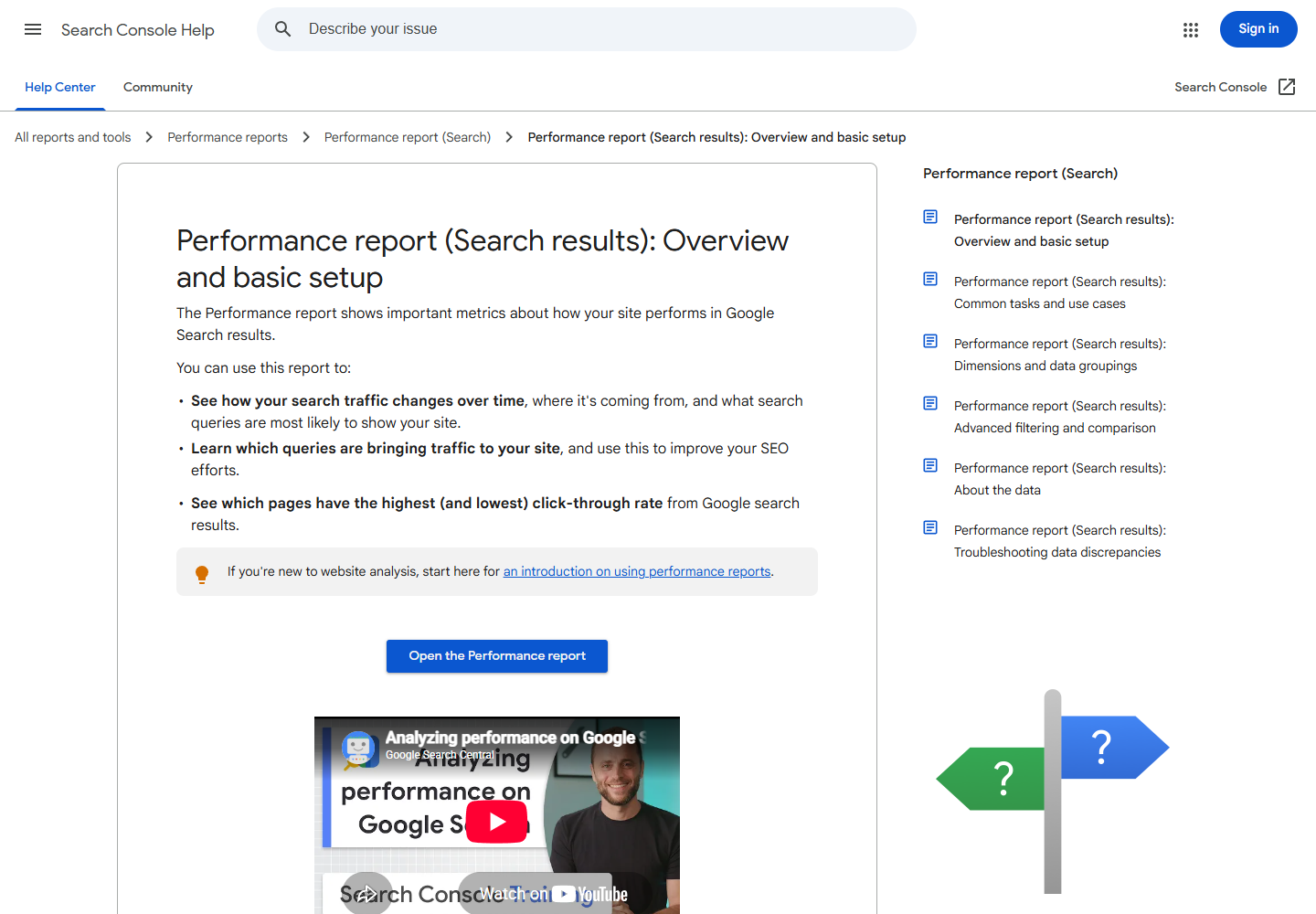
The Performance report shows how search traffic changes over time and which queries bring visitors, which makes it the right place to watch branded searches after a launch. Screenshot captured September 12, 2026 (UTC).
Be careful with attribution. If you also sent a newsletter, posted elsewhere, or ran ads that week, the lift isn’t all Product Hunt’s. Keep a dated log of everything you shipped and promoted, so that three weeks later you can read the numbers honestly instead of generously.
Turn the spike into listings that last
Launch traffic fades within days. Directory and comparison listings keep working for months, which makes the weeks after a launch the right time to build them, while your copy, screenshots, and positioning are fresh. Our page on where to submit after Product Hunt lays out that next phase, and the directory submission walkthrough shows how to plan the campaign and verify which listings actually went live.
Relaunching later
Can you launch the same product again? Yes, when there’s a real reason. Product Hunt’s launch guide says you can launch as often as you have new significant product iterations available. A new integration suite, a mobile app, or a major redesign can justify another launch. A minor update or a new color scheme can’t.
Prepare a relaunch with the same care as the first one, including a fresh first comment that explains what changed. Keep the list of requests you heard on launch day, because the easiest relaunch to justify is the one that ships what the last launch’s commenters asked for.
Your launch plan for the next six weeks
Teams that launch successfully on Product Hunt rarely do anything clever on the day itself. They show up prepared, stay honest in the comments, and keep working after the leaderboard resets. Here’s the order to do it in:
- Today: test your signup and first-use path as a stranger would, signed out and on a phone. Fix every spot where you hesitated.
- This week: make sure every maker has a personal Product Hunt account and has finished onboarding.
- Three weeks out: draft the tagline, description, and first comment, and build the gallery around the screen that shows your core job.
- Before you schedule: work through the startup launch checklist so nothing is missing when you pick the date.
- If you’re planning more than one launch: compare the options on our launch platform list and stagger them.
- After launch day: claim the product page, measure against your one goal, and decide who builds your directory listings.
That last step is where SubmitMatic can take work off your plate while you look after the users your launch brought in. It’s a done-for-you SaaS directory submission service with human review: one-time packages of 60+, 100+, or 140+ submissions for $60, $100, or $140 (taxes not included), a 48-hour turnaround, and a Google Sheet report with verification screenshots. Signups run through a dedicated email inbox whose credentials you receive, so you own the listings and can edit them later. Each directory still runs its own review, from instant to months, so no approval is promised. You can review the directory list and pricing first, or read the founder’s note on why the service exists.