RoomCreator
RoomCreator instantly generates stunning AI room redesigns from your photo, requiring no design skills.
Visit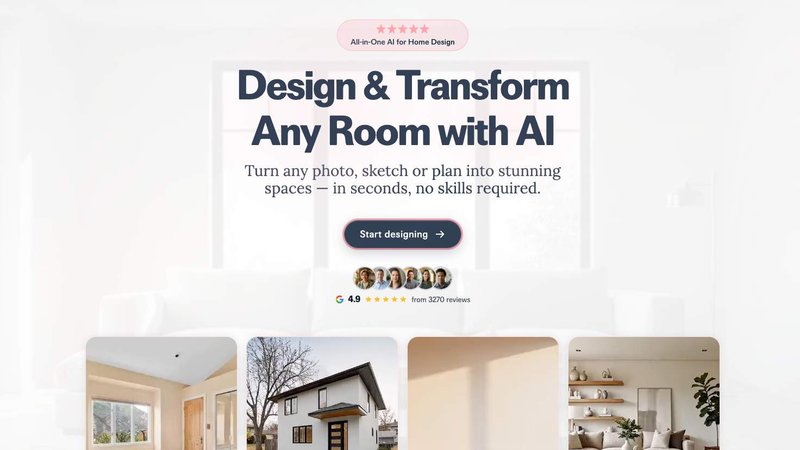
RoomCreator is an all-in-one AI-powered home design platform that automates the visualization and renovation planning process. It transforms any photo, sketch, or empty room into a professionally designed, hyper-realistic space in seconds, eliminating the need for manual design skills, expensive software, or lengthy consultations. The core value proposition is speed, simplicity, and confidence: users can test countless design ideas—from complete makeovers to precise edits—instantly, making data-driven decisions before committing time or money to physical changes. It serves a streamlined workflow for homeowners visualizing renovations, real estate agents staging properties, and individual investors evaluating project potential. By automating complex rendering tasks, RoomCreator turns subjective imagination into an objective, visual reality, enabling efficient planning and stunning visual presentations without the traditional overhead.
Features of RoomCreator
Instant AI Interior Redesign
Upload a single photo of any room to receive multiple, fully realized redesigns in about 10 seconds. The AI analyzes your space and applies complete thematic overhauls, including smart layout changes, new furniture arrangements, updated wall colors, different flooring, and adjusted lighting. This feature provides a rapid, side-by-side before-and-after comparison across dozens of styles like Modern, Scandinavian, or Bohemian, delivering photorealistic 3D previews that make evaluating design choices effortless and immediate.
Precision Brush Editor
Gain granular control over your redesigns without regenerating the entire image. Simply brush over any specific area—like a piece of furniture, decor item, or wall section—to remove or replace it. This targeted editing tool automates precise modifications, allowing you to tweak individual elements to perfection while preserving the rest of the rendered scene, streamlining the revision process and saving significant time.
Empty Room Generator
Instantly declutter any room photo with one click. This tool automatically removes all furniture and objects while perfectly preserving the architectural elements like walls, windows, floors, and lighting. It provides a clean, empty canvas essential for planning new layouts or staging, automating the tedious task of manually editing out contents to reveal a space's true potential.
Sketch to Realistic Render
Transform rough hand-drawn sketches, floor plans, or basic layout concepts into photorealistic interior images. This feature automates the conversion from abstract idea to tangible visual, perfect for the earliest stages of planning. It bridges the gap between conceptual brainstorming and realistic visualization, enabling efficient communication and development of design ideas before any physical work begins.
Use Cases of RoomCreator
Homeowner Renovation Planning
Homeowners can test paint colors, new furniture, and complete style makeovers in their actual rooms before purchasing anything. This automates the decision-making workflow, turning weeks of debate and uncertainty into a clear, visual choice. It builds confidence for renovation projects, ensures stylistic cohesion, and prevents costly mistakes by visualizing the final outcome in advance.
Real Estate Listing Enhancement
Real estate agents can instantly transform empty, cluttered, or outdated property photos into beautifully staged and styled interiors. This automated staging process makes listings more attractive to potential buyers, showcases a property's full potential, and can be done at scale without the cost and hassle of physical furniture rental or professional photoshoots.
Investment Property Analysis
Individual investors and flippers can evaluate a property's renovation potential and visualize different upgrade options to estimate ROI. RoomCreator automates the creation of "after" visuals for presentations or to showcase future value to partners and clients, helping to secure funding and make data-backed investment decisions quickly.
Interior Design Concept Development
Design professionals and DIY enthusiasts can use the tool to rapidly iterate on concepts. From uploading a sketch to generating multiple themed variants of a room, the platform streamlines the creative workflow. It allows for efficient client presentations and personal projects by providing instant, high-quality visuals that communicate design intent clearly.
Frequently Asked Questions
How does RoomCreator work?
The process is a streamlined, three-step workflow. First, you upload a photo of your room—even messy or low-quality images are accepted. Second, you select a desired design style or theme from the available options. Third, the AI processes your image and delivers multiple hyper-realistic redesigns in approximately 10 seconds, providing you with instant visual feedback for your project.
Do I need design skills or software experience?
No design skills or prior software experience are required. RoomCreator is built specifically for homeowners and professionals who want professional-grade visualizations without a complex learning curve. The interface is intuitive and the AI handles all the complex rendering tasks automatically, making advanced design visualization accessible to everyone.
What kind of photos can I upload?
You can upload any photo of an interior or exterior space. The system is designed to handle a variety of inputs, including photos of messy rooms, pixelated images, empty spaces, and even hand-drawn sketches or basic floor plans. The AI is trained to interpret these inputs and generate coherent, realistic redesigns from them.
Is there a free trial available?
Yes, RoomCreator offers a free trial that provides users with credits to test the core features without requiring a credit card. This allows you to experience the automated redesign workflow firsthand and evaluate the quality of the AI-generated results before choosing a paid plan that suits your needs.
You may also like:

Vibeworker
Vibeworker scores every new Upwork job against your profile in real time, so you stop scrolling and only get the best matches.

Goliath Data Real Estate CRM
Goliath Data Real Estate CRM uses AI to identify prospects, automate outreach, and streamline closings for agents and investors.
Boost Your Growth
Submit your SaaS to 140+ directories and SaaS submission sites. We handle every listing so you can focus on building your product.